Vacation Rentals
airbnb welcome book template free
airbnb welcome book template free
Creating a welcome book for your Airbnb can save you time, reduce guest questions, and improve reviews. A good welcome book provides essential property details, house rules, and local tips in one organized guide. Hosts using digital templates report up to 72% fewer guest inquiries and a +0.4 boost in review scores. Tools like Howard offer a free, customizable template that takes just minutes to set up and share with guests.
Here’s what to include:
- Welcome message: Greet guests warmly and share key info like Wi-Fi, check-in/out times, and parking.
- House rules: Set clear expectations for quiet hours, smoking, pets, and checkout steps.
- Local recommendations: Highlight must-visit spots, nearby conveniences, and emergency contacts.
Use Howard's platform to create and share your guide via links or QR codes. Regularly update it to keep information accurate and relevant, ensuring a smoother guest experience and better ratings.
How to Create an Airbnb Welcome Book with Canva: Easy Step-by-Step Tutorial for Hosts, with Template
sbb-itb-ec91689
Key Sections in an Airbnb Welcome Book
A well-crafted welcome book doesn’t need to be lengthy - it needs to be organized. Guests typically skim for quick answers, so the sections you include and how you arrange them are far more important than the word count. Below is a breakdown of key sections to help you design a streamlined guidebook.
Welcome Message and Property Overview
Start your welcome book with a warm, concise greeting. In just three to four sentences, thank guests for choosing your property and let them know you’re available if they need assistance. Follow this with the essential details they’ll need right away: Wi-Fi name and password, check-in and check-out times (e.g., 3:00 PM and 11:00 AM), access codes, and parking instructions.
Adding a short host bio can make your guests feel more connected. Include a photo and a sentence or two about yourself - perhaps why you started hosting or what you enjoy most about the neighborhood. It’s a simple touch that makes the experience feel personal instead of transactional.
House Rules and Policies
This section is crucial for setting expectations while protecting your property. The tone should be friendly but firm - clear enough to ensure compliance without sounding harsh. Highlight key rules like quiet hours (e.g., 10:00 PM – 8:00 AM), smoking and pet policies, maximum occupancy, and any specific guidelines for amenities like the pool or grill.
Keep checkout instructions short and sweet - stick to five steps or fewer. For example: lock up, dispose of trash, and turn off the HVAC. Also, include the locations of safety equipment like the fire extinguisher, first aid kit, and water shutoff valve. Even if these details are rarely needed, guests will appreciate knowing where to look in an emergency.
Local Contacts and Recommendations
This section can transform a good stay into an unforgettable one. Start with the basics: 911 for emergencies, the nearest urgent care or ER (include the address), and a backup phone number for urgent property issues. Once the essentials are covered, move on to local recommendations.
"Properties with thoughtful local recommendations earn five-star reviews and repeat bookings." - Mark Fromson, Founder, GleamSync
Offer a mix of nearby conveniences and standout spots. For example, list the closest coffee shop for a quick stop and another worth a short drive for a special treat. Do the same for groceries - note the nearest store as well as one with better-quality options. Add a personal touch by including brief notes for each recommendation, like "Best brunch in town, but get there early on weekends." If your guidebook is digital, embed Google Maps links so guests can navigate directly from their phones.
Next, explore how to access and customize this template using Howard.
How to Use the Free Howard Welcome Book Template
How to Create & Share Your Airbnb Welcome Book in 4 Steps
Creating a welcome book for your property doesn’t have to be complicated or time-consuming. Howard simplifies the entire process, from setup to sharing, so you can focus on what matters most - your guests.
Accessing the Template in Howard
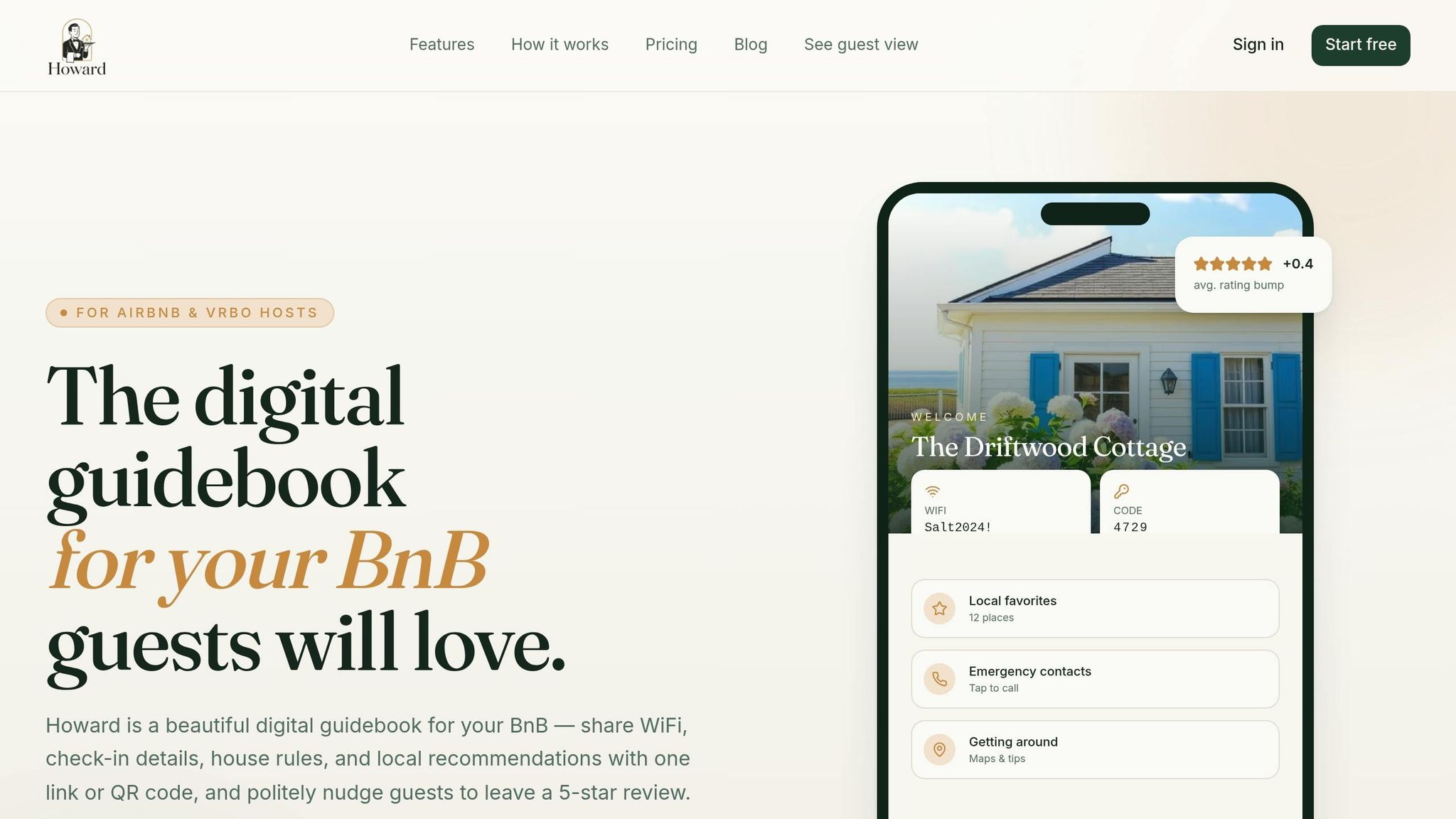
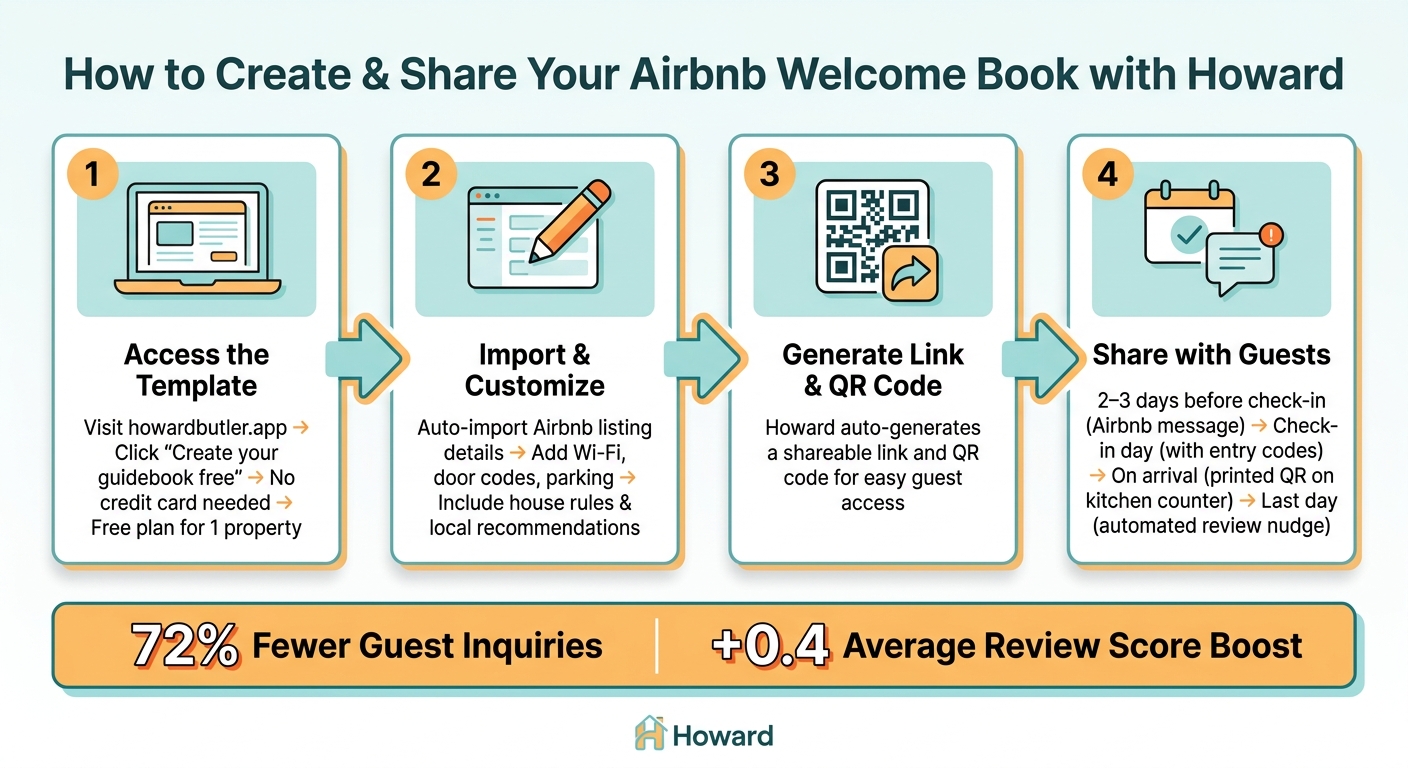
Start by visiting howardbutler.app and clicking "Create your guidebook free." You don’t need a credit card, and the free plan allows you to create a guide for one property indefinitely. Once you log in, Howard can automatically import your property’s basic details directly from your Airbnb listing. This feature saves you tons of time during setup. Afterward, Howard generates both a shareable link and a QR code, making it easy for guests to access your guide. From there, you can customize the template to highlight your property’s unique features.
Customizing the Template for Your Property
With your property’s basic details in place, it’s time to make the guide truly yours. Replace placeholder text with specific information like your Wi-Fi credentials, door codes, and parking instructions. When adding house rules, use U.S.-style time formats (e.g., quiet hours: 10:00 PM – 8:00 AM) and clearly outline policies on pets, smoking, and occupancy limits.
For local recommendations, include addresses and personal notes to make them more engaging. For example, you might write: "Try Joe’s Diner for breakfast - cash only, opens at 7:00 AM." If your property includes amenities like a pool or hot tub, dedicate a short section to usage guidelines and seasonal rules. The key is to make every section feel tailored to your property, not something pulled from a generic template.
Sharing the Welcome Book with Guests
Once your guide is ready, make sure your guests know about it. The best strategy is to share it at multiple points during their stay. Start by sending the link 2–3 days before check-in, so guests can explore local recommendations and plan their trip. On the day of arrival, resend the guide with the door code, and mention that the Wi-Fi password is conveniently listed at the top of the guide. Finally, leave a printed QR code card in a visible spot, like the kitchen counter, so guests can easily find it upon arrival.
| Sharing Touchpoint | Timing | Method |
|---|---|---|
| Pre-arrival | 2–3 days before check-in | Send via Airbnb messaging |
| Check-in day | Day of arrival | Include with entry codes |
| During stay | Upon arrival | Printed QR on kitchen counter |
| Post-stay | Last day of stay | Automated review nudge via Howard |
This multi-step approach ensures that every guest has access to your guide, whether they prefer digital links or printed materials. Some guests may overlook messages, but a QR code at the property ensures no one misses out.
Hosts who use Howard’s guidebook often see impressive results, including a 72% drop in guest questions and a boost in ratings by an average of +0.4. These improvements come from giving guests the right details exactly when they need them.
Advanced Howard Features That Improve Guest Experience
Howard takes your guest experience to the next level by combining advanced tools with your guidebook's solid foundation, making communication smoother and boosting overall satisfaction.
Automating Guest Communication with AI
Even the most thorough welcome book can't cover every possible guest question, especially during off-hours. Howard's AI-powered messaging steps in to handle common queries - like Wi-Fi details or checkout times - by pulling accurate answers directly from your property information. This feature allows property managers to automate up to 90% of guest communication, saving an estimated 4–5 hours daily.
When more complex issues arise - such as a guest reporting a broken appliance - Howard ensures the message gets routed to you via Slack or email so you can personally address it. Streamlining these interactions means you can focus on what matters most: creating a memorable guest experience.
Getting More Reviews with Review Nudges
Timing is everything when it comes to securing glowing reviews. Howard's review nudge feature, included in the Superhost plan, sends a friendly prompt to guests on the last day of their stay - when their positive feelings about the trip are still fresh. The nudge directs them straight to your Airbnb listing, simplifying the process and increasing the likelihood of a 5-star review.
Real hosts have seen the impact firsthand:
"The review nudge alone has paid for Howard ten times over in the first month." - Daniel K., Superhost
This small but strategic feature turns happy guests into loyal advocates for your property.
Adding Custom Branding to Your Welcome Book
First impressions count, and Howard helps you make a great one by allowing you to customize your digital guidebook with your own colors and logo. This polished, professional touch not only reinforces your property's identity but also enhances the guest experience outlined in your guidebook.
For hosts managing multiple properties, Howard makes it easy to duplicate guidebooks directly from the dashboard. You can then tweak the branding for each property in seconds - no need to start from scratch every time.
To take it a step further, you can print branded QR code cards for guests to find on the kitchen counter or entryway table. As one host shared:
"Guests genuinely tell me how nice the guidebook is. It's the small touch that makes the whole stay feel premium." - Sofia R., 8 listings · Tuscany
Custom branding isn’t just about appearances - it shows professionalism, builds trust, and leaves a lasting impression that can lead to stronger reviews.
Refining Your Welcome Book Over Time
A welcome book isn’t something you create once and forget about - it needs regular attention to stay accurate and helpful. By revisiting it periodically, you can fill in gaps and ensure the information remains relevant.
Tracking Guest Questions and Feedback
One of the simplest ways to identify missing details in your welcome book is by reviewing guest inquiries. If guests repeatedly ask the same question - whether it’s about adjusting the thermostat, understanding the trash schedule, or using the coffee maker - that’s your cue to add it to the FAQ section. According to a recent host survey, detailed digital guidebooks significantly cut down on guest questions and boost communication ratings. If confusion persists, consider adding visuals like photos or diagrams to make things clearer.
Guest questions aren’t the only reason to update your book - seasonal changes can also affect the accuracy of your local tips.
Keeping Local Recommendations Up to Date
Local recommendations can quickly become outdated. Restaurants may close, hours of operation can shift, and prices often change. To stay ahead, aim to review your recommendations at least twice a year - once in the spring and again in the fall. This is especially important for seasonal changes like pool availability, holiday closures, or updated transit schedules.
"Update your welcome book at least twice per year. Seasonal changes (pool rules, heating instructions, local restaurant closures) make outdated information a source of guest complaints." - Mark Fromson, Founder, GleamSync
If your guidebook includes Google Maps links, check them regularly to confirm the businesses are still operating. Keeping your recommendations fresh not only improves the guest experience but also helps you track how these updates impact feedback.
Measuring the Effect on Guest Ratings
A well-maintained welcome book can make a noticeable difference in guest satisfaction. One key indicator is a drop in mid-stay questions, paired with improved ratings for "Communication" and "Accuracy" on Airbnb. To measure this, compare your ratings before and after making updates. A polished guidebook has been shown to reduce repetitive guest messages by 50–70%, which often translates into better overall reviews. Tools like Howard’s dashboard can help you track these trends - if you notice a dip in specific areas, revisit recent guest questions and see if your content needs adjustments.
Conclusion
A well-designed welcome book can transform a guest's stay by making their experience smoother and more enjoyable. It’s not just about providing information - it’s about creating a guide that helps guests settle in quickly, from finding the Wi-Fi password to understanding the checkout process and exploring local recommendations. These thoughtful touches reduce mid-stay questions and can lead to better ratings, especially in Airbnb's communication category.
"Our welcome book template eliminates many of the tiring and repetitive guest questions while creating the seamless experience that earns 5‑star reviews." - Dominique & Diego, Founders, SmoothStay
Howard's free welcome book template offers a simple way to get started, saving you the hassle of building one from scratch. As your hosting operation grows, tools like Howard’s AI-powered messaging and review prompts can help you maintain that same level of quality across multiple properties.
FAQs
What should I include in an Airbnb welcome book?
An Airbnb welcome book is your chance to make guests feel at home while addressing their key needs. Here's what it should include:
- A Warm Welcome Message: Start with a friendly note to greet your guests and set a positive tone for their stay.
- Wi-Fi Details: Clearly list the network name and password to avoid any confusion.
- House Rules: Outline the do's and don'ts to ensure everyone is on the same page.
- Appliance Instructions: Provide simple guides for operating items like the coffee maker, thermostat, or TV.
- Checkout Steps: Detail what guests need to do before leaving, like taking out the trash or returning keys.
- Local Recommendations: Share your favorite spots for dining, shopping, and sightseeing to enhance their experience.
- Emergency Contacts: Include numbers for local services like police, fire department, and nearby medical facilities.
- Host Contact Information: Let guests know how to reach you for any questions or issues.
These elements not only answer common questions but also minimize interruptions during their stay. Plus, they help create a seamless experience that can lead to glowing reviews.
How do I share my welcome book with guests using a QR code?
To share your welcome book using a QR code, start by creating a digital version of the book. Then, generate a QR code that links directly to it. Print the QR code and place it in a prominent location, such as by the entrance or in the living area. This allows guests to scan it easily and access essential information like house rules, check-in details, and local recommendations - quickly and without any physical contact. It’s a simple way to make their stay smoother and more enjoyable.
How often should I update my welcome book?
Make it a habit to update your welcome book every few months or whenever there’s a major change - whether it’s new house rules, added property features, or fresh local recommendations. Keeping everything accurate and relevant helps ensure your guests have the best experience possible.