Vacation Rentals
What to Include in Your Airbnb Welcome Guide: Q&A
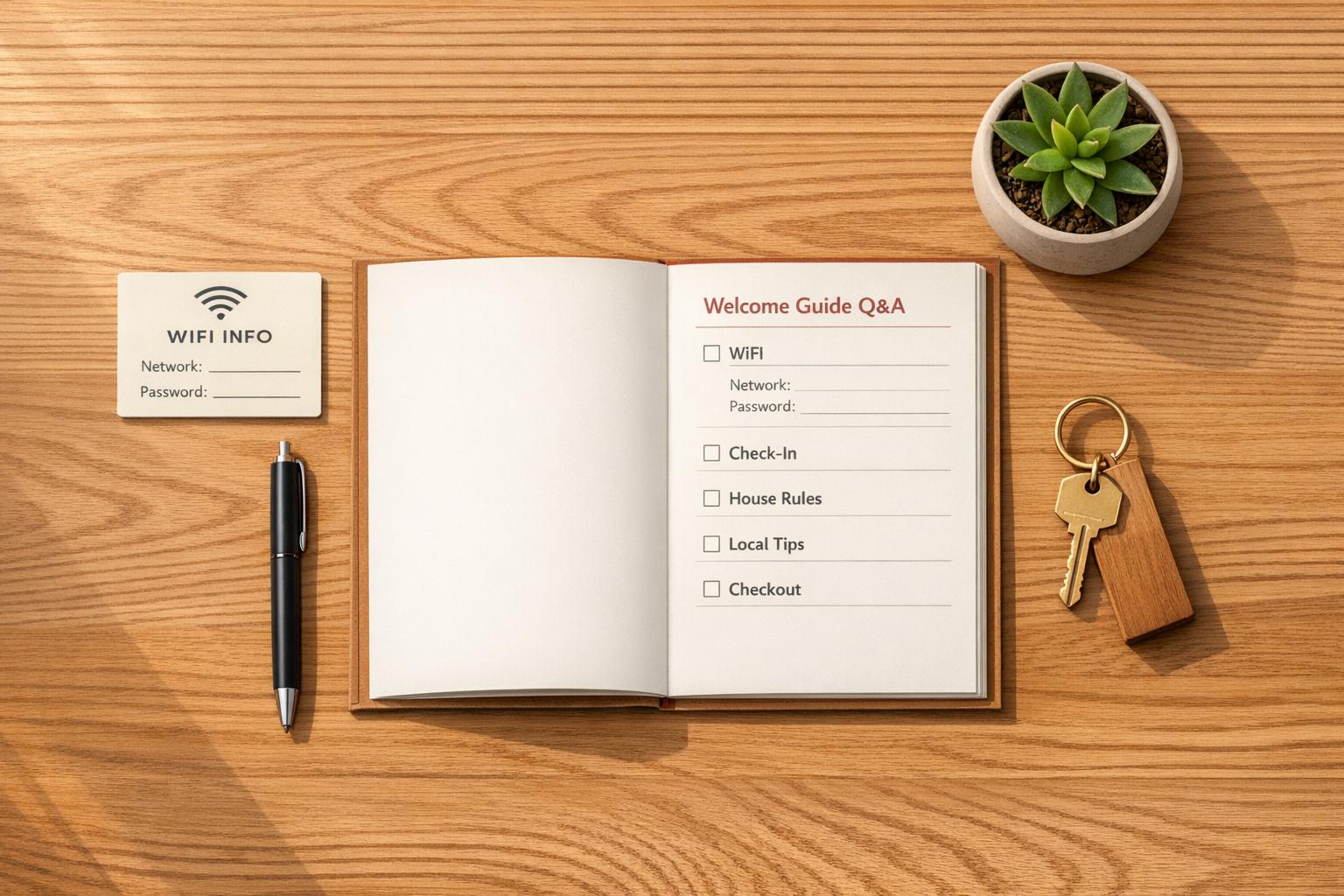
What to Include in Your Airbnb Welcome Guide: Q&A
Tired of late-night guest questions? A welcome guide is your solution.
An Airbnb welcome guide is a simple resource that provides guests with everything they need for a smooth stay. From Wi-Fi passwords to local tips, it reduces repetitive questions and improves the guest experience. Hosts using digital guides report up to 70% fewer inquiries and higher ratings.
Here’s what to include:
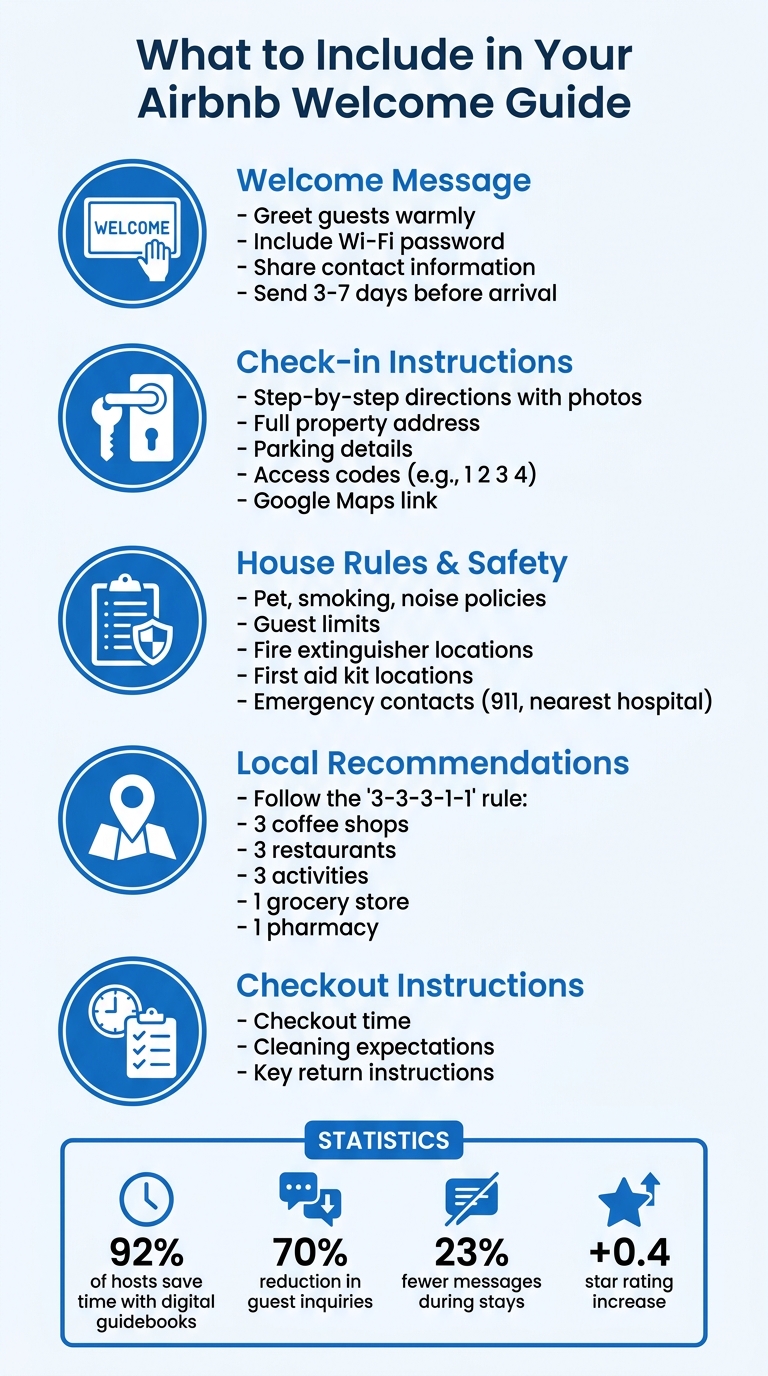
- Welcome message: Greet guests warmly and share essentials like Wi-Fi details.
- Check-in instructions: Step-by-step directions with photos and access codes.
- House rules: Be clear about policies (noise, pets, smoking) and safety details.
- Local recommendations: Suggest restaurants, attractions, and practical spots like grocery stores.
- Checkout steps: Outline cleaning expectations and key return instructions.
Digital guides are easy to update and can be shared via links or QR codes, making them perfect for today’s mobile-first travelers. Tools like Howard streamline the process, offering free plans for single properties and advanced features for hosts managing multiple listings.
Save time, reduce stress, and make every guest feel prepared with an effective welcome guide.
Essential Components of an Airbnb Welcome Guide
How to Create an Airbnb Welcome Book with Canva: Easy Step-by-Step Tutorial for Hosts, with Template
sbb-itb-ec91689
What is an Airbnb Welcome Guide?
An Airbnb welcome guide - often referred to as a welcome book or guidebook - is a resource designed to provide guests with all the essential information they need for their stay. It can be shared digitally (through a link or QR code) or presented as a printed version, like a binder or laminated sheets. These guides typically include details about the property, house rules, local tips, and emergency contacts. Beyond just being informative, they simplify communication between hosts and guests.
"A well-crafted Airbnb welcome book is more than just a collection of information; it's a digital concierge, a local guide, and a silent partner working tirelessly to ensure your guests have a seamless and enjoyable stay" - Ned from Touchstay
One of the big perks of a welcome guide is that it answers common questions - like the Wi-Fi password or how to adjust the thermostat - even if those questions come up in the middle of the night.
The benefits are clear. A 2025 survey revealed that 92% of hosts who use digital guidebooks save time and see happier guests.
When deciding on the format, it's all about what works best for your guests. Digital guides are easy to update and can be shared before arrival, while printed versions are handy for guests who might not have Wi-Fi or a charged phone. Many hosts use both: sending a digital link a few days before check-in and leaving a printed copy at the property.
As hosting evolves, digital guides have become the go-to choice for many. With travelers relying heavily on their smartphones, a mobile-friendly guide that's just a click away meets modern expectations. The ultimate aim is to give guests the tools to enjoy their stay while keeping things smooth and stress-free for hosts.
What to Include in Your Welcome Guide
Your welcome guide is more than just a resource - it's your chance to create a smooth and memorable experience for your guests. To make their stay as enjoyable as possible, your guide should cover everything from a warm introduction to clear instructions for check-in, house rules, and checkout.
Kick things off with a warm welcome message. Write a short, friendly greeting that sets the tone for their visit. Use the guest's name to make it personal, introduce yourself, and include key details like the Wi-Fi password (a top priority for most guests) and your contact information for questions. Sending this message 3–7 days before their arrival is a good rule of thumb.
"This isn't just a simple 'hello'; it's your chance to set the tone, provide essential information, and start building a positive relationship with your guests." - Ned, Content Creator at Touchstay
Lay out clear check-in instructions. Use step-by-step directions to make the process effortless. Include the property's full address, parking details, and access codes (formatted with spaces for easy reading). A Google Maps link and photos of the entrance can also help guests find their way without any confusion.
"Self check-in only works if your instructions are good enough that guests can follow them without help." - Bart from the GuestIntro team
Once guests have settled in, it's important to guide them on how to respect your space and stay safe.
Highlight house rules and key property details. Be upfront about policies like pet allowances, smoking, noise levels, and guest limits. Share practical information such as the Wi-Fi credentials and any unique quirks about your property. For safety, include the locations of fire extinguishers, first aid kits, and emergency contact numbers like 911 and the nearest hospital.
Wrap it up with checkout instructions and local tips. Clearly communicate the checkout time, cleaning expectations, and how to return keys or lock up. To leave a lasting impression, recommend nearby restaurants, attractions, and transportation options that align with your property's location. These local insights can make their stay even more special.
How to Create and Share Your Welcome Guide with Howard
Setting Up Your Digital Guide
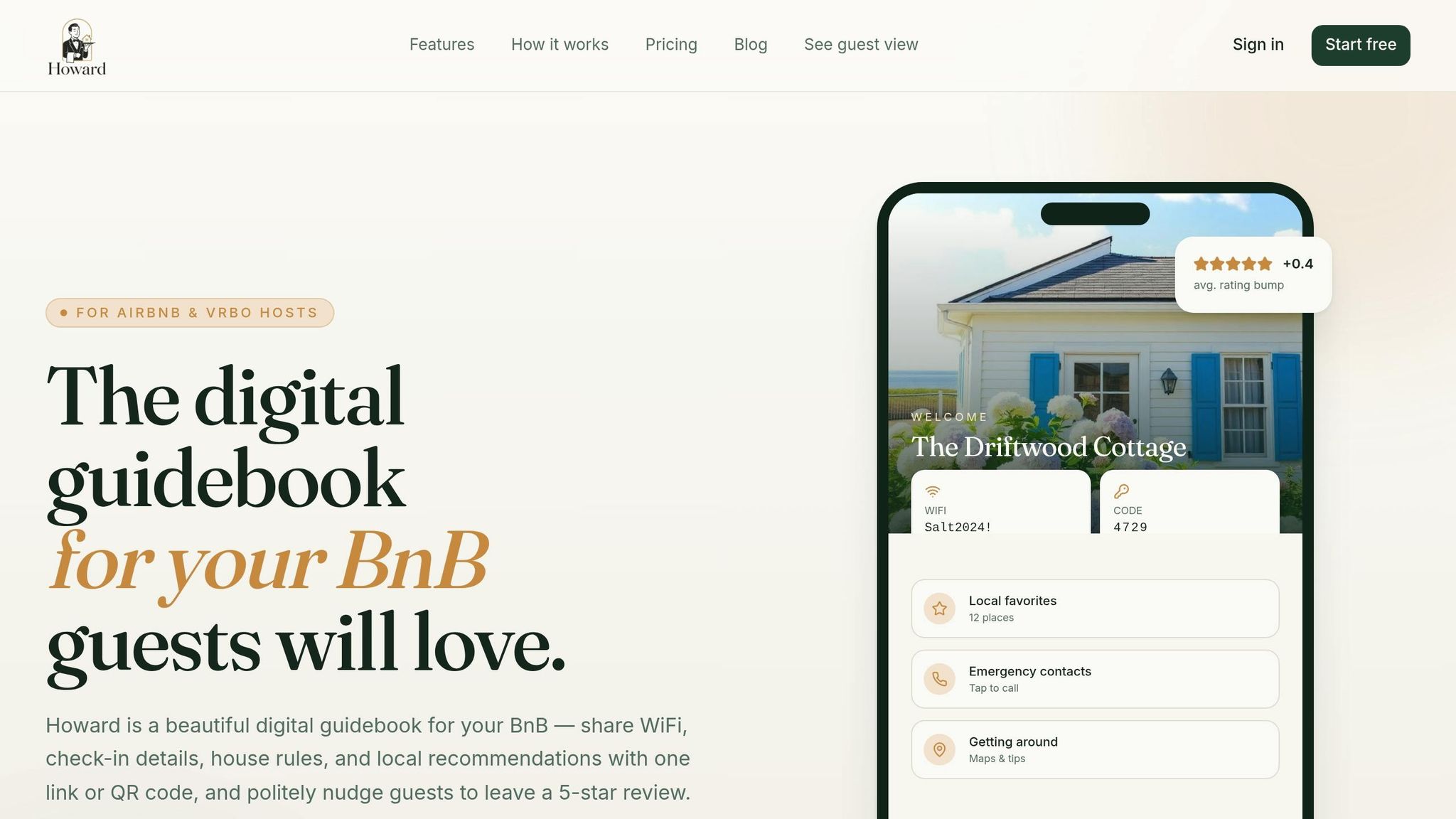
Getting started with your digital guide on Howard takes just 4 minutes. You can import details directly from your Airbnb listing or fill out a quick manual form. The platform walks you through adding key information like WiFi credentials, lockbox codes, check-in and checkout times, house rules, and instructions for handling appliances (like adjusting a tricky thermostat or using a temperamental coffee maker).
Once the basics are in place, you can enhance your guide by adding local recommendations - think restaurants, cafés, scenic trails, or hidden gems. Include emergency contacts with tap-to-call links and practical utility details, such as the location of the breaker box or water shut-off valve.
After your guide is ready, making it accessible to guests is simple.
Sharing Your Guide with Guests
Howard provides a unique link for your guide, which you can include in your check-in messages. Alternatively, you can print a QR code card to leave on the kitchen counter. Many hosts use both options: the digital link ensures guests have the information before they arrive, while the physical QR code provides easy access once they’re at the property.
"My superhost rating finally stopped slipping. Guests stop messaging me at midnight asking about the WiFi."
- Margaret L., Host of 3 properties in Cape Cod
The platform has proven effective, with hosts reporting a 72% drop in guest questions and an average rating increase of +0.4 stars after implementing the guide.
But it doesn’t stop there - you can personalize the guide to suit each property’s unique features.
Customizing Your Guide
Howard allows you to create a master guide and duplicate it for similar units, so you can tweak local tips and property-specific details without starting from scratch. This flexibility saves time while maintaining a tailored experience for your guests.
The platform also includes an AI-powered FAQ system to handle common questions instantly. For anything it can’t resolve, the query is forwarded to you via Slack or email. These tools simplify communication, turning the guide into a reliable digital concierge.
"Guests genuinely tell me how nice the guidebook is. It's the small touch that makes the whole stay feel premium."
- Sofia R., Host of 8 listings in Tuscany
Howard offers a free forever plan for one property - no credit card required - making it easy to test the platform before upgrading to paid plans for managing multiple listings.
Tips for Creating an Effective Welcome Guide
Keep Content Updated
A welcome guide is only useful if it reflects accurate information. Digital-first systems make updates easier, saving you from revising multiple formats. Plan to review your guide twice a year - spring and fall are ideal times - to account for seasonal changes like pool openings, heating or AC instructions, and local attraction hours.
Make updates immediately when significant changes occur. For example, if a recommended restaurant closes, an appliance is replaced, or your lockbox code changes, revise the guide right away [3,5]. Keep track of guest questions and include answers in future updates. As Bart from GuestIntro Team puts it, "Your guidebook should get better with every booking".
Focus on Guest Needs
Keeping your guide updated is just the start. Tailoring it to address common guest concerns makes communication smoother. The rule of thumb? If a guest has asked about it before, it belongs in the guide. A "Quick Start" section is especially helpful. Include the top five essentials: address, parking details, entry instructions, WiFi information, and contact numbers. Providing a thorough guide can reduce guest messages during their stay by 23%, and some hosts even see a 50–70% drop in inquiries.
Write house rules in a friendly, positive tone. Instead of saying, "No noise after 10pm", try, "Please keep noise down after 10pm to stay on good terms with our lovely neighbors" [2,8]. Visual aids can also ease anxiety. For instance, include photos of the front door or a unique planter to help guests quickly find the entrance.
Use Clear Formatting
Even the best content can fall flat without clear formatting. Guests often skim guides on their phones, so make the information easy to find. Use straightforward headings like "WiFi" instead of something vague like "Stay Connected" [2,3]. Break content into bullet points and focus on one idea per section to avoid overwhelming readers. For checkout instructions, a checklist format works best under time constraints.
When it comes to local recommendations, less is more. Follow the "3-3-3-1-1" rule: suggest 3 coffee shops, 3 restaurants, 3 activities, 1 grocery store, and 1 pharmacy. For complex appliances like induction stoves or tricky thermostats, include step-by-step instructions with photos to minimize confusion and prevent unnecessary troubleshooting during a guest’s stay [2,4]. These formatting strategies ensure your guide is as practical as it is informative.
Conclusion
This guide has highlighted how a well-prepared welcome guide can elevate the guest experience while simplifying communication for hosts.
A thoughtfully designed digital guidebook isn’t just convenient - it’s effective. Hosts who use one report 23% fewer guest messages during stays, with some seeing reductions as high as 70%. This means fewer late-night inquiries and a smoother hosting experience overall.
But it’s not just about reducing messages. A detailed guide helps guests feel more confident during check-in, clarifies checkout expectations, and offers local tips that make their stay unforgettable. By including essential details - like check-in steps, house rules, and WiFi info - you create a resource that builds trust and leaves no room for confusion. These small touches often lead to higher guest satisfaction, which directly impacts your review scores. And since guest satisfaction is the #1 factor linked to search rankings, a better guide can lead to increased visibility and more bookings.
Start simple: include the basics like house rules, emergency contacts, and local recommendations. Over time, refine your guide based on the questions guests frequently ask. With every update, your guide becomes a more powerful tool for reducing inquiries and improving the guest experience.
For hosts looking to streamline the process, Howard offers a free Solo Host plan for one property and a Superhost plan at $12 per property per month. These plans help automate tasks like review reminders and guest messaging, making hosting even easier.
Whether you prefer a sleek digital guide or a physical binder, consistency is key. Keep your guide up to date, ensure it’s easy to read, and treat every guest question as an opportunity to improve. By implementing these strategies - especially with tools like Howard - you can turn guest interactions into a seamless, stress-free experience.