Vacation Rentals
best airbnb guidebook
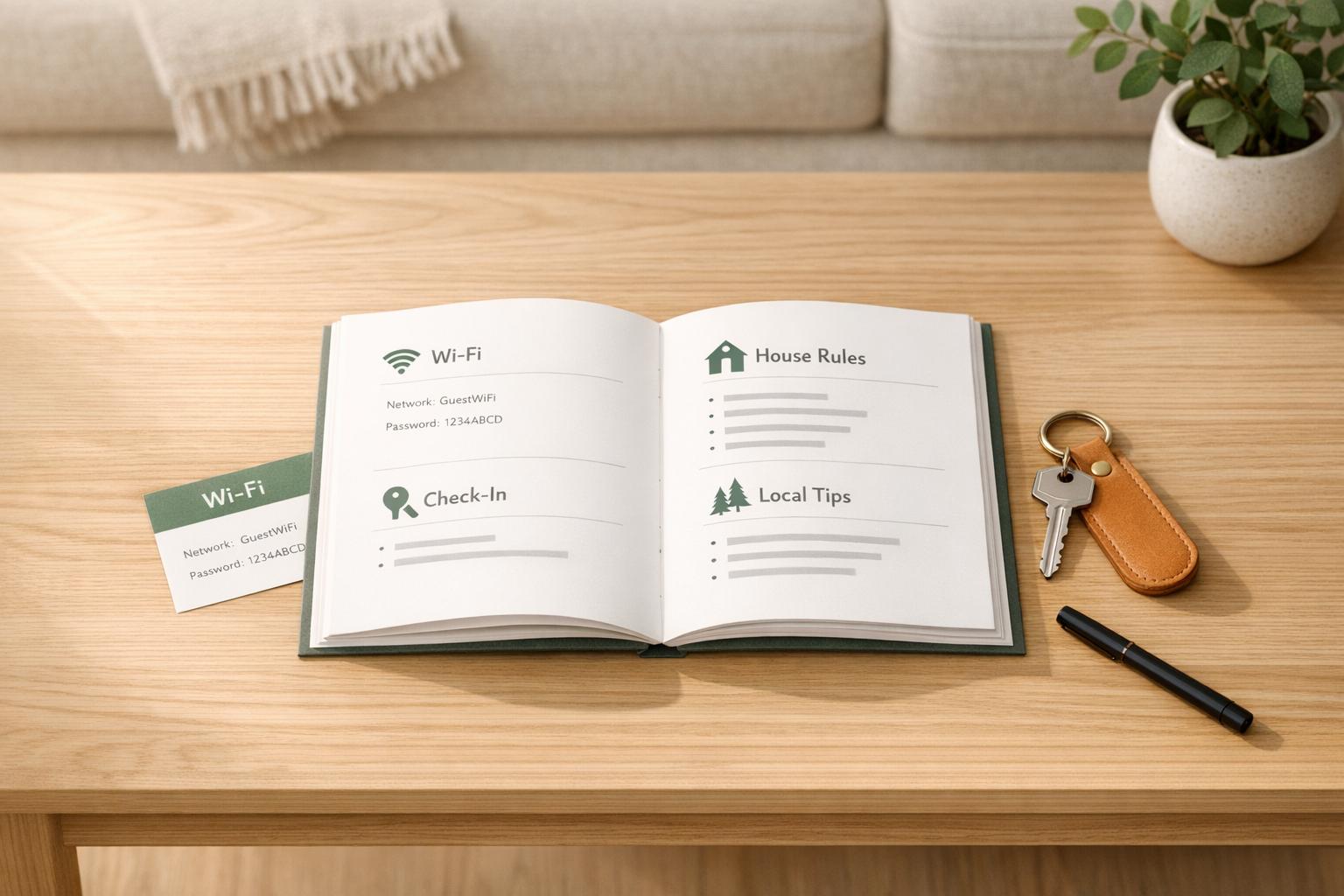
best airbnb guidebook
Creating an Airbnb guidebook simplifies hosting and improves guest experiences. It answers common questions - like Wi-Fi info, check-in instructions, and local recommendations - saving time and reducing repetitive messages by up to 70%. Hosts with guidebooks often see better reviews and smoother stays.
Here’s what to include:
- Welcome & House Rules: Greet guests warmly and clarify rules (e.g., quiet hours, smoking policies).
- Property Info: Wi-Fi, check-in/out times, parking instructions, and troubleshooting tips.
- Local Recommendations: Highlight nearby dining, activities, and hidden gems.
- Safety & Emergencies: Provide emergency contacts, property address, and weather-related guidance.
- Housekeeping: Trash schedules, recycling details, and cleaning expectations.
Pro Tip: Use a digital guidebook for easy updates and pre-arrival access. Tools like Howard can streamline this process.
A clear, well-organized guidebook not only saves you time but also ensures guests feel informed and cared for, leading to better reviews and fewer questions.
Airbnb Guidebook Tips: What to Include to Get 5-Star Reviews Every Time
sbb-itb-ec91689
What to Include in an Airbnb Guidebook
A well-crafted guidebook answers every question your guests might have - sometimes before they even think to ask. Think of it as a collection of five key sections, each designed to enhance their experience and make their stay seamless.
Welcome Message and House Rules
Start with a warm welcome. Use this space to greet your guests, highlight a standout feature of your property (like a cozy fire pit or a stunning view), and direct them to the guide for all the details they’ll need.
Follow your welcome message with house rules. Be clear and specific. For instance, instead of saying "keep noise levels down", write something like: "Quiet hours are from 10:00 PM to 8:00 AM, including outdoor spaces." Cover other essentials like smoking policies, parking, pet rules, maximum occupancy, and cleanliness expectations (e.g., washing dishes or taking out the trash). The tone should be friendly but firm - informative without feeling like a lecture.
"The first few hours of a guest's stay can set the tone for their entire visit - and for your reviews." - Uplisting
To ensure guests read and understand the rules, ask them to reply with a confirmation phrase. For example, Superhost Cammy uses the phrase "Expect nothing, appreciate everything" as a way to verify that guests have reviewed the rules.
Finally, provide clear arrival instructions so guests know exactly how to access your property.
Property Details and Arrival Instructions
Make this section easy to find and impossible to miss. Start by displaying the Wi-Fi name and password on its own page in a large, easy-to-read font. Include check-in and check-out times, details about early check-in fees (if applicable), and step-by-step entry instructions. Be thorough - mention what to do if the keypad malfunctions or the lock sticks.
If parking is available, specify the exact spot, any restricted areas, and whether permits are required. Share this information in advance, ideally 2–3 days before check-in, and again on the day of arrival. A physical copy at the property is also a good backup.
Once guests are inside, make sure they can navigate your amenities with ease by including a detailed house manual.
House Manual: Amenities and Troubleshooting
This section should cover anything that isn’t immediately obvious. Explain how to use the HVAC system, especially if it’s a smart thermostat like Nest or Ecobee. Walk them through kitchen appliances, the TV setup, Bluetooth speakers, or streaming services like Roku or Apple TV. If your area has spotty cell service, make a note of that too.
For appliances or systems that might cause confusion, include simple troubleshooting steps. For example: "If the Wi-Fi drops, unplug the router, wait 30 seconds, and plug it back in." Adding photos or diagrams for tricky setups can save guests (and you) a lot of frustration.
To make their stay even better, share your personal recommendations for the local area.
Local Recommendations and Area Guide
Break recommendations into categories like breakfast spots, dinner options, coffee shops, activities, and food delivery services that work well for your property’s location.
"Guests can Google restaurants or coffee shops - but they can't Google your taste." - Uplisting
For each suggestion, include helpful details: Is it walkable? Does it require reservations? Are there must-try dishes? Adding hidden gems, like a local farmers market or a scenic hiking trail, makes your guide feel personal and thoughtful - far better than a generic Yelp list.
Safety, Emergencies, and Housekeeping
This section is all about peace of mind. Provide the property address, contact information for primary and backup hosts, and a list of nearby emergency services, like the closest ER, urgent care, or 24-hour pharmacy, along with approximate drive times.
Include housekeeping details too, such as trash and recycling schedules, bin locations, and sorting instructions. If your property is in an area prone to extreme weather - whether it’s hurricanes, wildfires, or heavy snow - add a brief section on what guests should do in those situations. Make sure to update this information at least twice a year to keep it accurate.
Clear and professional instructions in this section not only ensure your guests’ safety but also build their confidence in your management skills.
How to Build Your Airbnb Guidebook Step by Step
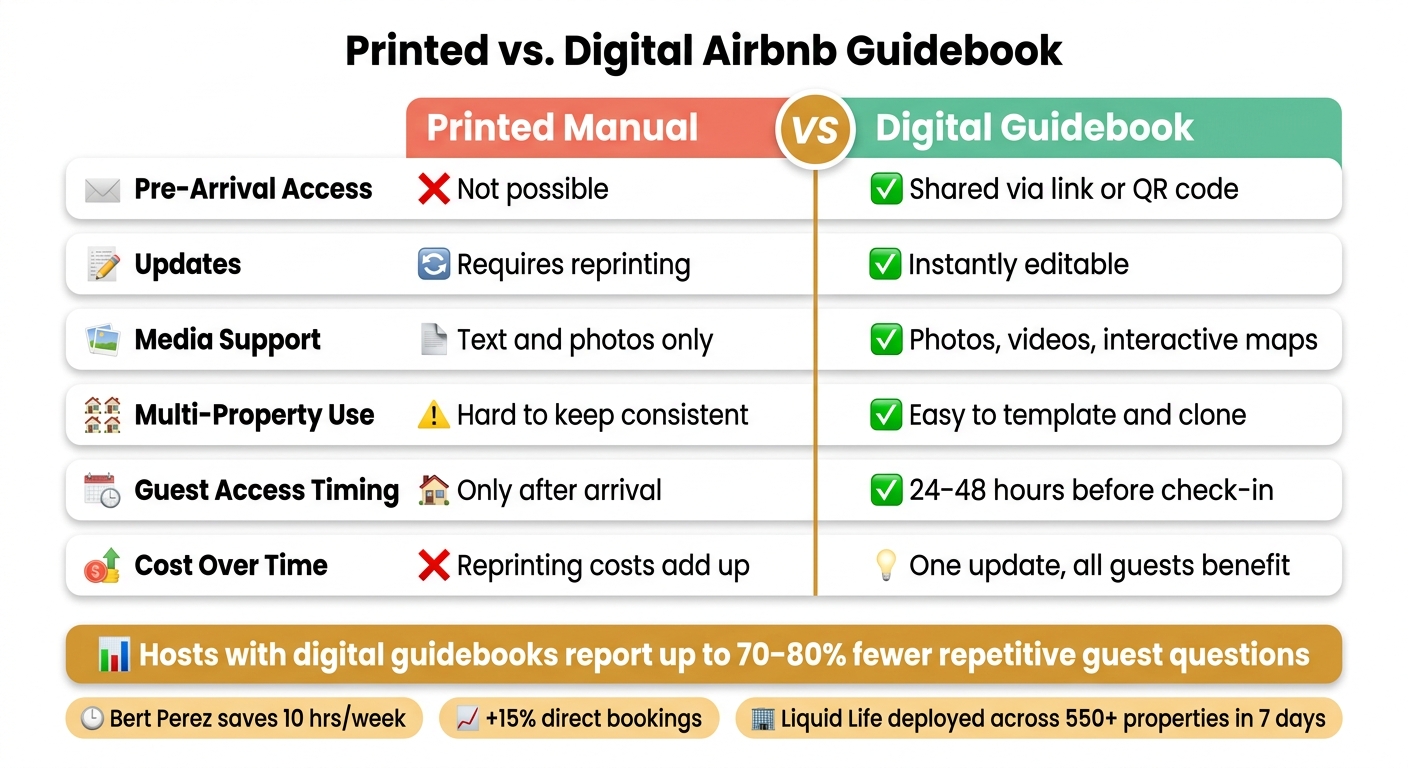
Printed vs. Digital Airbnb Guidebook: Feature Comparison
Organize Content Around the Guest Journey
The easiest way to structure your guidebook is to mirror the sequence of your guests' experience with your property. Think of it in five stages: pre-arrival, check-in, during the stay, emergencies, and departure.
Start with pre-arrival details like directions and entry codes to help guests avoid unnecessary stress. Once they arrive, greet them with a warm welcome and provide essential information, such as Wi-Fi credentials. Throughout their stay, include helpful details like appliance instructions and local recommendations to ensure their comfort. Finally, wrap things up with clear, straightforward checkout instructions.
A good rule of thumb? If a guest has ever asked about it, it should be in your guidebook.
Make sure critical arrival details are easy to spot, so guests don’t miss anything important. Once your content is organized, it’s time to choose the best format for delivering your guidebook.
Pick the Right Format and Delivery Method
Printed binders have an old-school charm but come with their own set of challenges. They’re only accessible once guests arrive, can quickly become outdated, and require reprinting for updates. A digital guidebook solves these issues by making your guide available ahead of time and allowing for instant updates.
Here’s a smart approach: send a digital link 24–48 hours before check-in, provide a printed copy onsite with a QR code for easy access, and update the content as needed.
If you’re looking for a tool to simplify this, Howard is tailor-made for the job. It provides a shareable link and QR code that consolidates all the essentials - Wi-Fi details, house rules, local tips, emergency contacts, and FAQs - without requiring guests to download anything. Howard’s free Solo Host plan covers one property, while the Superhost plan ($12/property/month) adds perks like AI-powered messaging, smart review nudges, and custom branding for unlimited properties.
| Feature | Printed Manual | Digital Guidebook |
|---|---|---|
| Pre-arrival access | Not possible | Shared via link or QR code |
| Updates | Requires reprinting | Instantly editable |
| Media | Text and photos only | Photos, videos, interactive maps |
| Multi-property use | Hard to keep consistent | Easy to template and clone |
Create a Master Template for Multiple Properties
Once you’ve nailed the structure and format, managing multiple listings becomes much easier with a master template. A digital guidebook makes this even more efficient, letting you standardize the core information while customizing details for each property.
Separate what stays consistent - like house rules, emergency protocols, and your brand voice - from the details that vary, such as Wi-Fi passwords, lock codes, or specific appliance instructions. For example, Bert Perez of KeysCations, who manages 29 waterfront rentals in the Florida Keys, uses this method. It’s helped him save 10 hours a week on repetitive guest questions and boosted direct bookings by 15%.
"Build one master guidebook structure, then clone and customize per property - you get consistency without losing the detail that makes each stay specific." - Bert Perez, KeysCations
The results can be impressive. Liquid Life Vacation Rentals, managing over 550 properties on Alabama’s Gulf Coast, implemented live, PMS-integrated guidebooks across their entire portfolio in just 7 days - all without disrupting day-to-day operations.
Tips to Make Your Guidebook More Useful
Tailor Content for Different Guest Types
Not all guests are looking for the same experience, so your guidebook should reflect that. A solo traveler’s priorities will differ from those of a family or a group of adventurers. The more your guidebook anticipates these unique needs, the more helpful it becomes.
For example, families might want details on crib locations, childproofing measures, and the best nearby playgrounds. Business travelers, on the other hand, are likely focused on reliable Wi-Fi, a comfortable workspace, and quiet hours. Digital nomads might appreciate long-term stay amenities like laundry facilities and kitchen equipment, while adventure-seekers will value trail maps, gear storage, and weather updates.
Dr. Jayanthi Ilamurugu, a Superhost and Community Leader, sums it up perfectly:
"Understanding the needs and desires of those you encounter is essential for achieving success and maintaining stability."
You don’t need to create separate guidebooks for every type of guest. Instead, include targeted sections - like a "For Families" box or a "Remote Work Ready" subsection - that make guests feel like their specific needs were considered. Here’s a quick breakdown of what to include for different guest profiles:
| Guest Type | Key Guidebook Content |
|---|---|
| Families | Crib/high chair locations, childproofing details, local parks, board games |
| Business Travelers | Wi-Fi speed, desk setup, nearby dry cleaners, quiet hours |
| Digital Nomads | Long-term stay perks, laundry instructions, coffee shop Wi-Fi ratings |
| Adventurers | Trail maps, gear storage, weather alerts, emergency contacts |
| Large Groups | BBQ operation, communal seating, parking for multiple cars |
Track How Well Your Guidebook Is Working
Your guidebook isn’t a “set it and forget it” tool - it needs regular updates to stay relevant. A key indicator that it’s working? Fewer guest messages. Hosts with detailed guidebooks report 42% fewer mid-stay messages, and some small operators have seen a 70–80% drop in repetitive questions after switching to a structured digital format.
Beyond message volume, keep an eye on your Airbnb ratings for Check-in, Accuracy, and Communication. If any of these dip to 3 stars or below, Airbnb prompts guests to explain why. This feedback, along with tags like "Unclear instructions" or "Hard to locate", can highlight gaps in your guidebook.
Digital platforms like Howard can give you even deeper insights. These tools show which sections guests view most and what they search for - especially terms they couldn’t find. That “searched and missed” data is gold for improving your guidebook. Make it a habit to audit guest feedback every few months: update restaurant recommendations, refresh seasonal tips, and address recurring questions.
With these insights, you’ll be ready to refine your guidebook’s format to make it even more user-friendly.
Format for Clarity and Easy Navigation
Even the most comprehensive guidebook won’t help if guests can’t find what they need quickly. Prioritize scannability over length - guests need to locate key details fast, often under time pressure or on their phones.
"A 'perfect' welcome guide isn't the longest one. It's the one guests can actually use in the moment: on a phone, under time pressure, with limited attention." - BeMyGuest
Start with the essentials: check-in instructions, Wi-Fi passwords, and entry codes should be front and center, not buried in the middle. Use bold labels for section headers, keep paragraphs short, and add visuals like photos or short videos to demonstrate tricky tasks - like unlocking a smart lock or finding hidden parking.
For physical guidebooks, laminate frequently used pages and place the binder somewhere obvious, like the kitchen counter or entryway. For digital versions, a QR code near the front door gives guests immediate access without needing to search for links. Clear formatting doesn’t just look good - it directly reduces the number of guest inquiries. James and Hansel from Springfield House B&B found this approach made their welcome book far more effective.
Conclusion: How a Good Guidebook Leads to Better Guest Experiences
A well-crafted guidebook does more than just provide answers - it sets the tone for a seamless and enjoyable stay. Quick access to essentials like Wi-Fi details, entry codes, and parking instructions helps guests settle in smoothly, creating a sense of ease right from the start.
The numbers back this up: hosts with detailed guidebooks report 23% fewer guest inquiries during stays and see improved communication ratings. Take Bert Perez, for example. Managing 29 waterfront rentals in the Florida Keys, he saves 10 hours a week and has increased direct bookings by 15% thanks to his guidebooks. These operational efficiencies directly enhance guest satisfaction, making five-star reviews more achievable.
"Well-crafted guidebooks complement a premium experience, giving guests peace of mind with answers to 99% of their questions right at their fingertips." - Adam Bosch, Founder, altCamp
But it’s not just about saving time. A polished guidebook signals professional management. It reassures guests that their stay is in capable hands, creating an experience that feels intentional and well-thought-out. Whether it’s sharing curated local recommendations, laying out clear house rules, or addressing potential issues proactively, a good guidebook transforms a stay from ordinary to memorable.
FAQs
How long should my Airbnb guidebook be?
An Airbnb guidebook needs to strike the right balance - it should be concise yet packed with key details that guests will find helpful. The focus should be on three main areas: property details, house rules, and local recommendations.
Think of it as a blend of a digital concierge and a local insider's guide. Keep the layout clean and straightforward so guests can easily find what they’re looking for. The goal is to make the guidebook thorough enough to answer common questions while staying user-friendly and approachable.
What’s the best way to share a guidebook before check-in?
The most effective way to share a guidebook before check-in is by sending a digital version through email or a messaging app. This approach ensures guests can easily access important details, such as property information, house rules, and local recommendations, ahead of their arrival. By providing this information in advance, you can clarify expectations, address common inquiries, and cut down on check-in-related communication.
How often should I update my guidebook?
Updating your Airbnb guidebook on a regular basis is a smart move to keep it both accurate and useful for your guests. Take time to review it periodically, especially if there are updates to local attractions, changes to your house rules, or modifications to your property’s features. Make sure your guidebook aligns with your property details and amenities so everything stays consistent. This approach helps ensure your guests have the best possible experience.