Vacation Rentals
Ultimate Guide to Local Recommendations for Hosts
Ultimate Guide to Local Recommendations for Hosts
Local recommendations are a simple way for Airbnb and Vrbo hosts to improve their guests' experience. By sharing trusted spots like coffee shops, grocery stores, or must-visit attractions, you help guests feel more comfortable and informed. This guide explains how to create, organize, and share these tips effectively, saving you time and boosting guest satisfaction. Here's what you'll learn:
- Key Categories: Essentials (grocery stores, pharmacies), dining options, activities, transportation tips, and safety info.
- Curating Tips: Focus on places you've tried, balance popular spots with hidden gems, and update regularly.
- Sharing Tools: Use platforms like Howard to create digital guidebooks with shareable links or QR codes.
Core Categories of Local Recommendations to Include
Airbnb & Vrbo Host Local Guidebook: 5 Essential Categories
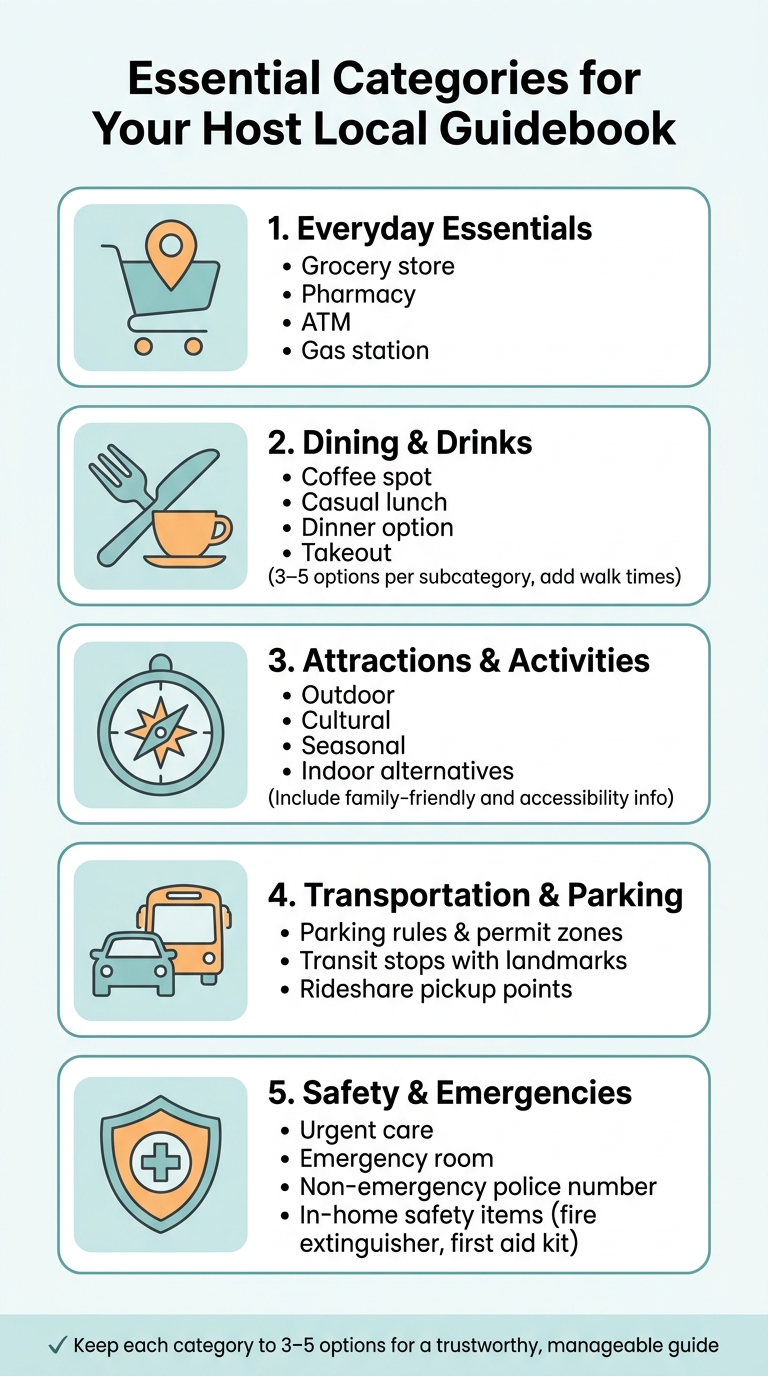
When planning local recommendations for guests, grouping them into clear categories ensures you cover all their essential needs.
Everyday Essentials
Start with the basics: highlight the nearest grocery store, pharmacy, gas station, and ATM. These are often the first stops for guests settling in.
"The things you take for granted because you've been there a hundred times are the things that confuse guests who've been there for ten minutes." - Bart, GuestIntro Team
These small details can make a big difference for someone unfamiliar with the area.
Dining and Drinks
Food recommendations should cater to various occasions. For instance, suggest a coffee spot for early mornings, a casual lunch spot, and a cozy dinner option. Add a reliable takeout place for convenience. Aim for 3–5 options in each category, and include practical details like walk times and a standout feature. For example: "The breakfast tacos at Taco Deli are worth the 10-minute walk." This kind of tip makes your recommendations both practical and memorable.
Attractions and Activities
Offer a mix of outdoor, cultural, and seasonal activities. Include details like how far they are from your property, whether they’re family-friendly, and any accessibility considerations (e.g., stroller-friendly paths or parking availability). For areas with unpredictable weather, suggest an indoor option like a museum, bookstore, or indoor market. This helps guests plan for any situation.
Transportation and Parking
Help guests navigate the area with clear parking information, including permit requirements and whether zones are free or paid. Provide details about nearby transit stops, including line names and recognizable landmarks. For rideshare users, point out the closest pickup location with visual cues like, "Look for the red brick church on Main Street." These small touches prevent confusion.
Safety and Emergency Information
List the nearest urgent care facility, emergency room, and the non-emergency police number. Also, let guests know where they can find in-home safety items like the fire extinguisher and first aid kit. If your area has specific safety concerns, such as poorly lit streets at night, include a brief note to help guests stay informed.
The table below summarizes these categories for quick reference.
| Category | Key Details |
|---|---|
| Everyday Essentials | Grocery store, pharmacy, ATM, gas station |
| Dining & Drinks | Coffee, casual lunch, dinner, takeout (with walk times) |
| Attractions & Activities | Outdoor, cultural, seasonal, and indoor alternatives |
| Transportation & Parking | Parking rules, transit stops, rideshare pickup points |
| Safety & Emergencies | Urgent care, emergency room, non-emergency police, in-home safety items |
sbb-itb-ec91689
How to Curate Good Local Recommendations
How to Choose What to Include
Stick to places you’ve personally visited. Reliable spots with consistent service and hours are a safer bet than trendy locations that might be unpredictable - think a dependable neighborhood diner over a restaurant that’s closed half the week. If there are any drawbacks to a spot, be upfront about them. Honesty builds trust and sets the stage for a guide that blends must-visit attractions with hidden gems.
Mixing Popular Spots with Local Finds
A great guide strikes a balance between crowd-pleasers and lesser-known treasures. Popular attractions are a must, but pairing them with insider tips makes your recommendations stand out. For example, if you suggest a well-known spot, add a local twist, like the best time to visit or a nearby hidden gem. These small details can transform an ordinary list into something guests will genuinely appreciate.
"When you hand them a curated guide that says 'this is the pizza place the locals go to' or 'skip the tourist beach, walk 10 minutes south instead' - you become more than a host. You become a concierge." - Bart, GuestIntro team
Adjusting Tips for Different Types of Guests
Not all guests are looking for the same experience. A couple on a romantic getaway will have different needs than a family with kids or a solo business traveler. Labeling recommendations with tags like "Great for families" or "Perfect for remote work" helps guests quickly find what suits them best.
Tailor your tips to the types of guests you host most often. For families, suggest stroller-friendly parks or casual eateries with kids’ menus. For business travelers, highlight quiet cafés with reliable Wi-Fi or early-morning coffee spots near transit hubs. These small adjustments make your guide more practical and personal.
Keeping Recommendations Current
Nothing frustrates guests more than outdated information. A restaurant that’s closed or hours that have changed can make your guide feel unreliable. To avoid this, review your recommendations regularly - every quarter or before a busy season. Double-check hours, confirm businesses are still open, and ask departing guests which tips they found most helpful. Keeping things fresh shows you care and keeps your guide relevant.
Building and Sharing a Digital Local Guidebook
How to Structure Your Guidebook
When creating your guidebook, focus on making it easy for guests to find the information they need right away. Organize content into clear categories like "Where to Eat", "Getting Around," and "Emergency Essentials" to keep things simple and intuitive.
Start with the most critical details: Wi‑Fi password, check‑in instructions, and emergency contacts should be front and center. After that, include your top local recommendations and general tips. To make their arrival seamless, consider outlining the first 24 hours - mention the nearest coffee shop, a convenient dinner spot, and key transit options. This helps guests settle in without feeling overwhelmed.
Keep your writing concise and skimmer-friendly. Use short headings and one‑line descriptions, adding quick details like "5‑minute walk" to make the information instantly useful. Limit each category to 3–5 options to keep the guidebook manageable and trustworthy.
Using Howard to Organize Your Recommendations
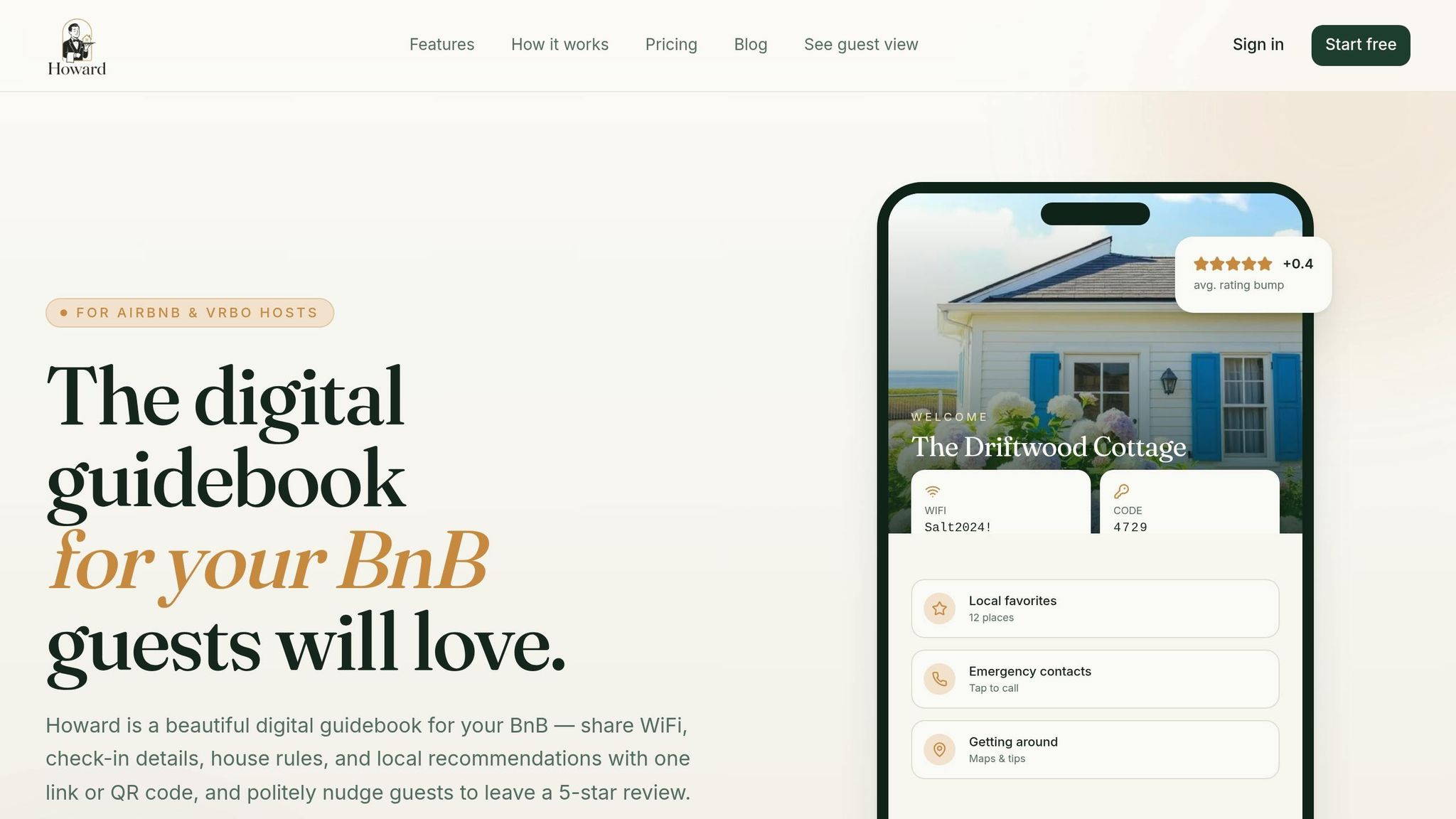
Howard is a tool designed to simplify the process of creating and sharing guidebooks. It lets you combine property details, local tips, emergency contacts, and FAQs into a single, shareable link or QR code. With Howard, you can update the guidebook in real time, ensuring guests always have the latest information. For hosts managing multiple properties, its centralized dashboard makes it easy to maintain consistency across all listings. This streamlined setup not only saves time but also enhances the overall guest experience.
"Guests genuinely tell me how nice the guidebook is. It's the small touch that makes the whole stay feel premium." - Sofia R., Host
How to Share the Guidebook with Guests
To ensure guests can easily access your guidebook, use a multi‑channel sharing strategy. Send the link as part of your pre‑arrival welcome message, ideally 2–3 days before check‑in when guests are finalizing their plans. Then, place a framed QR code in a prominent spot inside the property - like the kitchen counter or near the front door - so guests can quickly reference it during their stay. This two‑step approach ensures they have the information they need both before and during their visit.
A well-timed, well-placed guidebook not only helps guests plan ahead but also provides quick answers when they need them most.
Cutting Down on Guest Questions with Good Organization
An organized guidebook acts like a virtual co‑host, reducing the need for repetitive questions. Hosts using digital guidebooks have reported a 70% to 80% drop in common inquiries.
"If your guide can answer the guest's first question before they ask it, you have already improved the stay." - Guesthouse.live
For those using Howard, the results are even more striking: a 72% reduction in guest questions and an average review rating boost of +0.4 stars. By cutting down on repetitive communication, you can focus on delivering a better overall hosting experience.
Measuring and Improving Your Local Recommendations
Once you've set up a detailed digital guide for your guests, the next step is to measure its effectiveness and refine it based on their feedback. This ensures your recommendations remain useful and relevant.
Gathering Guest Feedback
One of the easiest ways to assess your guide's success is to monitor the types of questions guests ask - or stop asking. If inquiries about nearby ATMs, transit options, or coffee shops decrease, it’s a clear sign your guide is meeting their needs.
"One of the strongest indicators that your guide works is a drop in repetitive guest questions." - Maya Ellison, Senior Hospitality Content Strategist, Guesthouse.live
Pay attention to guest feedback for recurring mentions of specific recommendations. For instance, if a restaurant you suggested gets frequent praise, it’s a keeper. On the other hand, if a place goes unmentioned or receives complaints (e.g., it was closed), it might be time to reconsider its inclusion. Reviewing past message threads can also reveal gaps in your guide - common questions that guests still have. Addressing these directly in your guide ensures it becomes even more comprehensive.
For a practical test, ask a friend or trusted contact to use your guide to solve a specific problem - like finding a pharmacy open late - and note any challenges they encounter. Their experience can provide valuable insight for improvements.
Updating Recommendations for Seasons and Events
Guest needs and local business operations change with the seasons. A guide that worked in the summer may no longer be accurate by fall. Seasonal hours, temporary closures, and local events all shift throughout the year, so it’s essential to treat your guide as a dynamic resource rather than a one-and-done project.
"A local area guide is only useful if it's accurate... Set a reminder to review your guide every three to six months." - Bart, GuestIntro team
To keep your guide current, schedule regular updates every three to six months. These updates can include adjusting hours, adding seasonal events like summer concerts or winter markets, and removing outdated information. Always include a "last updated" date so guests know they’re looking at the latest details. If you’re using a digital guidebook platform like Howard, updates are even easier since you can make changes instantly without needing to reprint anything.
Matching Recommendations to Your Property's Style
Your guide should reflect not just the local area but also the unique character of your property. The recommendations you include send a message about the type of experience guests can expect during their stay.
"A good guide is not a vanity list of 'best places in town'; it is a curated selection based on actual guest experiences." - Guesthouse.live
Consider the type of guests your property attracts. A modern downtown loft will appeal to a different crowd than a cozy countryside retreat. Tailor your recommendations accordingly, using labels like "For a slow morning" or "Quick dinner before a show" to help guests easily find what suits their plans. For family-friendly properties, highlight kid-friendly spots. If you host remote workers, note which cafés have strong Wi-Fi and plenty of outlets. These personal touches make your guide feel thoughtful and specific, increasing the likelihood that guests will rely on it.
Conclusion: The Value of Local Recommendations
A thoughtfully crafted local guide does more than just point guests in the right direction - it helps them feel like they belong. Instead of navigating an unfamiliar city as overwhelmed tourists, they experience it as insiders. This connection often translates into glowing five-star reviews, which can directly impact future bookings.
From a practical standpoint, digital guidebooks can save hosts a significant amount of time - up to 92% on repetitive management tasks. By reducing the need to answer the same questions repeatedly, these tools simplify operations and highlight the importance of offering tailored local insights.
Key Takeaways
The message is clear: a curated guide beats a generic list every time. The main principles are straightforward: focus on quality over quantity, keep your recommendations updated, and personalize them for your guests. Adding a personal note about why you recommend a place can make your guide feel more genuine and engaging than a list pulled from a travel app.
If you're ready to streamline your hosting experience, Howard provides an easy way to create and share your local recommendations. With just a single link or QR code, guests can access answers to 99% of their common questions, freeing you from late-night messages about WiFi or restaurant suggestions. As one host, Margaret L., shared: "My superhost rating finally stopped slipping. Guests stop messaging me at midnight asking about the WiFi." - Margaret L., Host of 3 properties. This approach not only enhances guest satisfaction but also makes hosting more efficient.
FAQs
How do I pick recommendations guests will actually use?
Choose recommendations that feel personal, make sense for your audience, and are simple to grasp. Highlight spots you’ve genuinely enjoyed - especially those with standout features or a bit of local character. Keep your descriptions short but meaningful, explaining what makes each place special. Including photos and updating your guidebook often helps keep your suggestions current and visually engaging, making it easier for guests to make quick decisions.
How often should I update my local guidebook?
Keeping your local guidebook up-to-date is key to ensuring the information remains accurate and relevant. Regular updates help your recommendations reflect changes, such as new attractions or updated details about existing spots. This not only improves your guests' overall experience but also minimizes the number of questions they might have during their stay.
What’s the best way to share a digital guidebook with guests?
The most effective way to share a digital guidebook is by offering a direct link or a QR code that guests can quickly access during their stay. Tools like Howard make this process seamless by combining essential property details, local tips, emergency guidelines, and FAQs into one convenient, shareable format. With everything they need just a click or scan away, guests can enjoy a smoother and more enjoyable experience.