Vacation Rentals
vrbo welcome book
vrbo welcome book
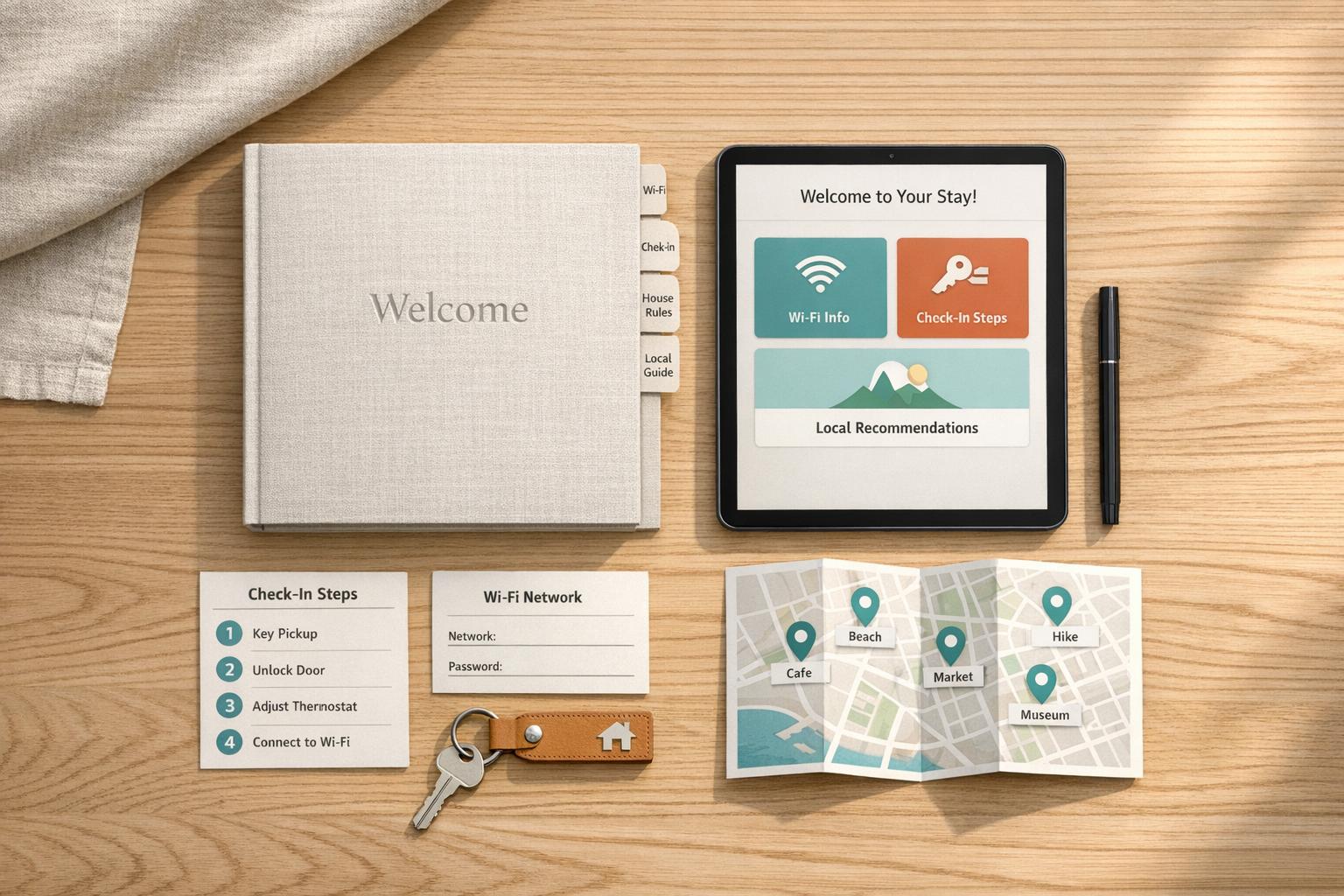
A VRBO welcome book is a guide that helps your guests have a smooth and enjoyable stay. It includes details like Wi-Fi passwords, check-in instructions, house rules, and local recommendations for dining and activities. Properties with a detailed welcome book often receive fewer guest questions and higher reviews.
Key Points:
- Why It’s Useful: Answers common guest questions upfront, reduces mid-stay inquiries, and improves guest satisfaction.
- Printed vs. Digital: Digital books are easy to update and share before arrival, while printed versions provide on-site accessibility without Wi-Fi.
- What to Include: Wi-Fi info, check-in/out steps, house rules, appliance instructions, emergency contacts, and local tips.
- Design Tips: Keep it organized, use short paragraphs, bold key details, and include photos for clarity.
- Updating: Review and update the guide regularly to ensure accuracy.
A well-organized welcome book not only saves time but also enhances your guests' experience, making them more likely to leave positive reviews.
Welcome Book for my Vacation Rental / Airbnb / VRBO / Short Term Rental Properties
sbb-itb-ec91689
How to Structure Your VRBO Welcome Book
VRBO Welcome Book: Digital vs. Printed Format Guide
When setting up your VRBO welcome book, think about what your guests need to know right away. Start with the essentials like Wi-Fi and entry details, and save less urgent information for later sections. This method works much like a well-designed product manual: it prioritizes time-sensitive details first. Once you've nailed the structure, pick a format that works best for your property and guests.
"The best welcome books are structured like a great product manual - easy to scan, organized by urgency, and designed to answer questions before they arise." - StayStrat Team
Choosing the Right Format
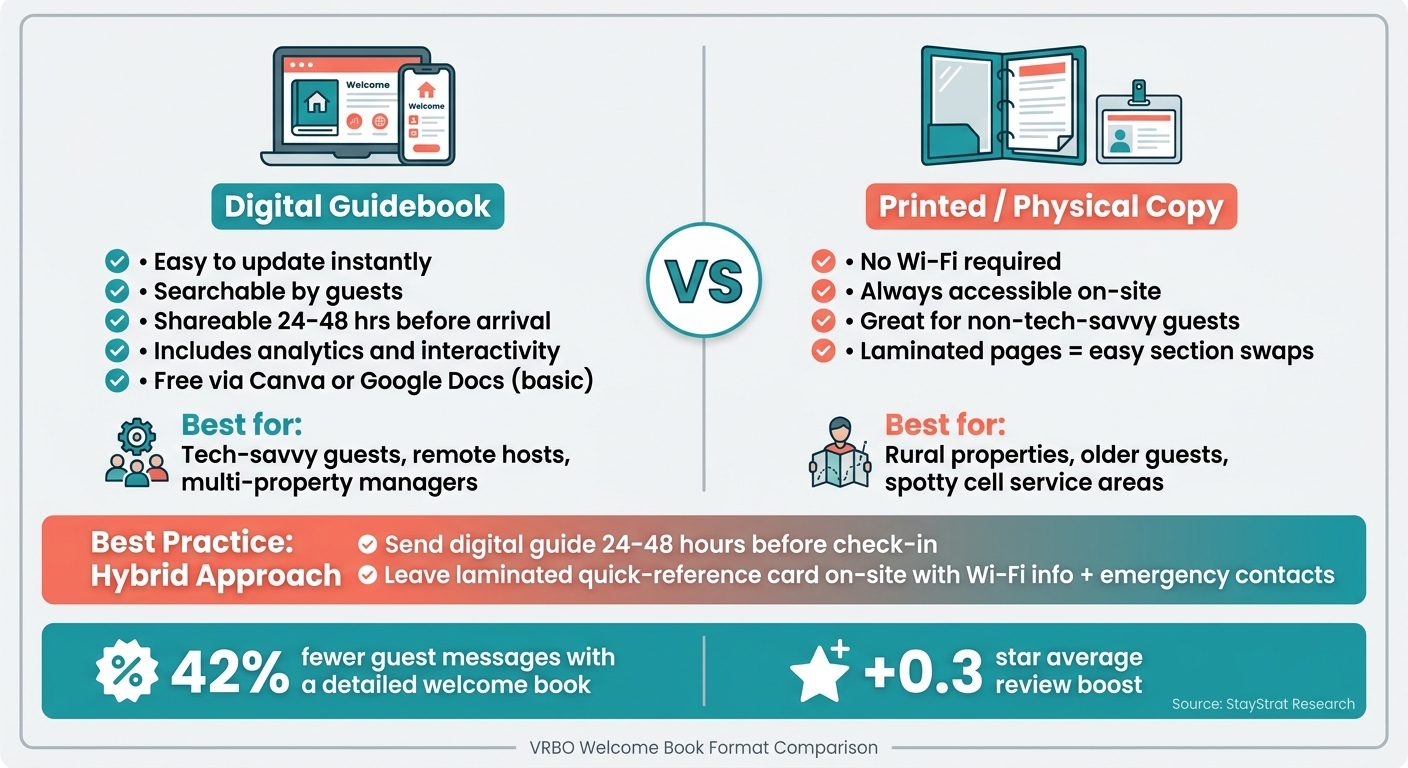
The format of your welcome book should be convenient for your guests and fit the vibe of your property. A digital guidebook is often the go-to choice because it's easy to update, searchable, and can be sent ahead of time. However, a physical backup - like a laminated card or binder - can be a lifesaver if guests have spotty cell service or aren't tech-savvy.
If you're on a budget, a PDF created via Canva or Google Docs is a free option, though it lacks the interactivity and analytics of specialized platforms. Many U.S. hosts find a hybrid approach works well: send a digital guide 24–48 hours before check-in, and leave a laminated quick-reference card in the property with must-know details like Wi-Fi info and emergency contacts.
Sections to Include in Your Welcome Book
To make your welcome book as helpful as possible, organize it by priority. Here's a breakdown of what to include:
| Priority | Section | What to Include |
|---|---|---|
| Critical | Wi-Fi & Connectivity | Wi-Fi name, password, and any tips for a strong connection |
| Critical | Check-In/Check-Out | Entry codes, parking instructions, and departure tasks |
| Critical | Emergency Info | Property address, host contact info, and the closest hospital or urgent care |
| High | House Rules | Quiet hours, smoking policies, and pet guidelines |
| High | Appliance Guides | Instructions for using the thermostat, TV, kitchen appliances, etc. |
| Medium | Local Dining | A curated list of restaurants by cuisine and price range |
| Medium | Transportation | Tips for ride-shares, public transit, and airport directions |
| Low | Upsells | Offers for late checkouts, equipment rentals, or other add-ons |
Once you've outlined these sections, focus on making the layout easy to navigate.
Layout and Design Tips
Guests rarely read a welcome book cover to cover - they skim for answers. To make things easy, keep paragraphs short (no more than three sentences), highlight key details with bold text, and use numbered lists for step-by-step instructions. If a process seems tricky, like identifying which remote controls the TV versus the soundbar, include a photo or diagram. Visuals often save more time than words.
Always lead with the answer. For example, instead of explaining how to connect to the Wi-Fi, simply write:
Wi-Fi Network: CabinGuest5G / Password: Sunridge2024
What to Write in Your VRBO Welcome Book
A well-structured welcome book not only helps guests feel at ease but also cuts down on their questions. Research from StayStrat shows that hosts with detailed welcome books experience 42% fewer guest messages during stays and enjoy a 0.3-star boost in average reviews. What you include - and how you present it - can have a big impact. Here’s how to effectively share check-in, check-out, and policy details.
Check-In and Check-Out Instructions
Kick things off with a "Quick Start" section right at the top. Include the essentials guests need immediately upon arrival: property address, parking details, entry code, Wi-Fi password, and your phone number. Since most guests look for Wi-Fi details as soon as they arrive, having this information upfront is a must.
For check-in, provide step-by-step instructions that are easy to follow, especially for first-time visitors. Add a backup entry method and include a photo of the entry point to reassure guests they’re at the right place.
When it comes to check-out, keep things simple and stress-free. A short checklist works best, as it’s easy to skim when guests are in a hurry:
- Strip the beds
- Start the dishwasher
- Take out the trash
- Turn off A/C and lights
- Secure windows and doors
Once you’ve covered the basics of check-in and check-out, shift your focus to setting a friendly and clear tone for house rules.
House Rules and Policies
How you phrase your rules can make a big difference in how guests perceive and follow them. Rules that sound harsh or demanding can be off-putting, but framing them as polite requests makes them more likely to be respected. Here’s a comparison:
| Instead of... | Try... |
|---|---|
| "No noise after 10 PM." | "Please keep noise inside after 10 p.m. so our neighbors can sleep." |
| "No pets on furniture." | "We're pet-friendly! Please keep furry friends off the furniture." |
| "Report all damages." | "Accidents happen - just let us know about any breakages before you check out." |
Organize your rules into categories like noise, smoking, pets, visitors, and parking. Keep each rule short - two sentences max. While Vrbo’s listing page includes standard fields for things like occupancy or smoking, your welcome book is the place to add personality and context. Thoughtfully written rules can ease tension and ensure a smoother stay, reinforcing the warm tone you’ve set from the start.
Appliance and Amenity Instructions
Clear appliance instructions can save both you and your guests a lot of hassle. For example, a simple photo of your coffee maker with an arrow pointing to the power button can prevent those late-night “how does this work?” texts. For more complex tasks, use a numbered list, and for devices with hidden buttons or switches, include labeled photos.
"A single photo of your coffee maker with an arrow pointing to the power button saves you a 10 PM phone call." - GuestIntro Team
Focus on commonly used items like thermostats, TV remotes, and kitchen appliances. Don’t forget outdoor features like the grill or hot tub. For example, explain how to remove a hot tub cover and adjust the temperature step by step. If your thermostat has limits (e.g., keeping heat above 68°F in winter to avoid frozen pipes), make sure to include those details. These instructions can prevent up to 70% of “how-do-I” questions from guests during their stay.
Local Tips and Practical Information for Guests
Once you've outlined house rules and appliance instructions, the local recommendations section is where your welcome book can truly stand out. This part builds on the groundwork set by your check-in details and house rules. As the StayStrat Team explains:
"Your local recommendations section is where a good welcome book becomes a great one." - StayStrat Team
Including personalized local tips can make a big difference. Hosts who provide these recommendations are 2.5 times more likely to receive reviews praising their helpfulness. Let's dive into how you can share dining, shopping, and activity suggestions to elevate your guests' experience.
Dining and Shopping Recommendations
When it comes to dining, organize your suggestions based on what guests might be seeking: "Quick Bites", "Date Night", "Family-Friendly," or "Coffee Shops for Remote Work." For each spot, include the name, a short description, drive time, price range ($ to $$), hours, and an insider tip. For example, "At Rosario's, ask for a table on the back patio - it’s quieter and offers a fantastic view." These small touches make guests feel like they’ve got a local friend.
Keep your list focused. Instead of overwhelming guests, aim for three coffee shops, three dining options, and one or two recommendations each for grocery stores and pharmacies. For shopping, highlight the closest convenience grocery store and a spot for specialty items - especially helpful for guests staying longer.
Beyond dining and shopping, guests will value practical advice on activities and transportation.
Activities and Getting Around
Start with the basics: provide the property address, parking details, and a clear visual cue, like a photo of the entrance. If your property is tricky to locate, add a simple landmark, such as "Look for the blue planter." These small details can ease any arrival stress.
For transportation, mention ride-share options like Uber and Lyft, along with local taxi companies and their phone numbers. Note the nearest bus stop or train station and include walking times. If your area has bike-share or scooter programs, let guests know - these are often overlooked but can be a fun and practical way to explore. Directions from the nearest airport or major highway also add a helpful touch.
Finally, setting clear neighborhood expectations ensures a smooth and respectful stay.
Neighborhood Guidelines
This section helps protect your guests and maintain good relationships with neighbors. Share practical details like trash and recycling pickup schedules, where to place bins, and whether guests are expected to handle this during their stay. If your property is part of a gated community, subdivision, or apartment complex, include any specific noise or community rules not already mentioned in your house policies. For example, note if shoes should be removed indoors or if street parking requires a permit. These small but thoughtful details can prevent misunderstandings.
"Reiterating your house policies and rules in your welcome book can help resolve common rental issues - or keep them from happening in the first place." - Evolve
Keeping Your Welcome Book Current and Running Smoothly
Keeping your welcome book accurate and up-to-date is essential for maintaining guest trust and ensuring a smooth experience. Imagine the frustration guests feel when they encounter an outdated Wi-Fi password or a recommendation for a restaurant that's no longer open. As Bart from the GuestIntro Team puts it:
"A house manual with a wrong WiFi password is worse than no manual at all." - Bart, GuestIntro Team
How to Keep Your Content Up to Date
Set aside 15–20 minutes every quarter to review and update your welcome book. Check details like restaurant hours, seasonal activity recommendations, and any time-sensitive information such as nearby construction projects. If guests frequently ask the same questions, it’s a sign that something important might be missing. Additionally, make updates immediately when property details change.
For printed welcome books, consider using laminated pages in a ring binder. This way, you can easily replace individual sections without reprinting the entire book. If you’re using a digital guide, updates are even simpler - changes can be made instantly, ensuring guests always have the most current information.
Next, let’s explore how Howard can simplify the process of keeping your guide current.
Using Howard to Manage Your Welcome Book
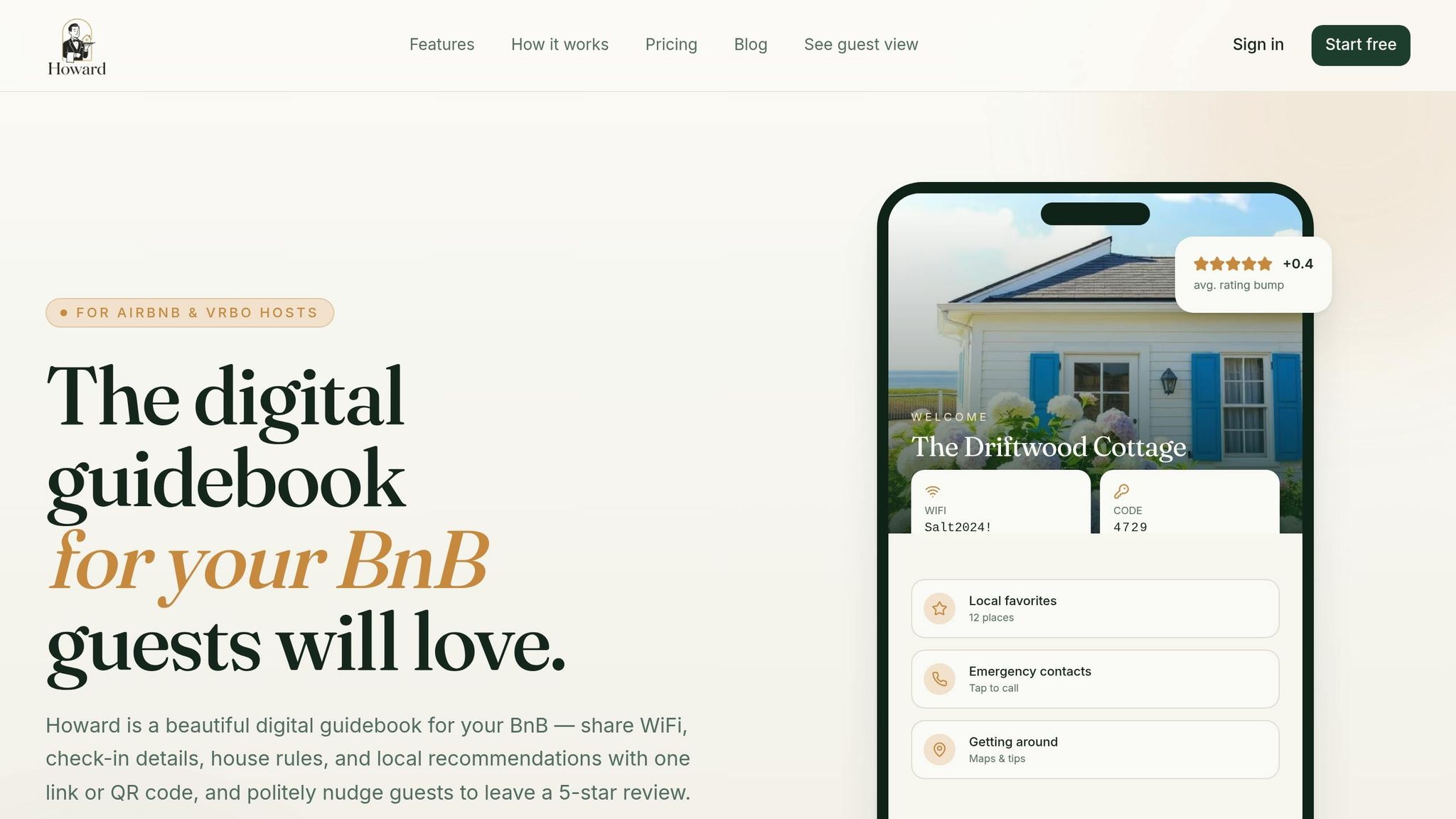
Howard offers a streamlined dashboard for managing your listings, making updates much easier - especially if you’re hosting multiple properties. You can import essential property details in minutes and duplicate guidebooks to quickly tailor them for new listings. The platform also includes an AI-powered FAQ feature that automatically addresses repetitive questions, like “How does the thermostat work?” - so you’re not answering late-night inquiries.
Hosts who’ve adopted Howard often see tangible improvements. Margaret L., who manages three properties, shared her experience: "My superhost rating finally stopped slipping. Guests stop messaging me at midnight asking about the WiFi." If you’re just starting, Howard’s Solo Host plan is free for one property and doesn’t require a credit card - making it an easy, risk-free option.
Once your welcome book is updated, it’s time to integrate it into your guest communication strategy.
Connecting Your Welcome Book to Guest Messages
A welcome book is most effective when it’s part of your overall communication plan, rather than sitting unnoticed on a counter. Send guests a link to the guidebook 24 to 48 hours before their arrival via an automated message. This allows them to review helpful information while planning their stay.
On the final day of their visit, Howard’s automated review reminder encourages satisfied guests to leave a 5-star review while their experience is still fresh. Hosts using detailed digital welcome books report 42% fewer mid-stay questions and see an average rating boost of +0.4 stars. By aligning your messaging - before arrival, during the stay, and at checkout - with the details in your welcome book, you create a seamless and professional experience that guests truly value.
Final Tips for a Better VRBO Welcome Book
To make your VRBO welcome book as effective as possible, focus on a few key principles: prioritize essential details, keep the content easy to skim, and regularly update the information. Start with the most critical items - like Wi-Fi credentials, check-in instructions, and emergency contacts - right at the beginning. Save local tips and recommendations for later sections, when guests are more settled and ready to explore.
When listing distances to attractions or services, use drive times (e.g., "8 minutes away") for better clarity.
If you manage multiple properties, simplifying your processes can save you time and effort. Tools like Howard can be a game-changer. With Howard, you can duplicate guidebooks for new listings in seconds, share them through a single QR code, and rely on its AI-powered FAQ to handle repetitive guest questions. As Daniel K., a Superhost, shared: "Setup took 5 minutes. The review nudge alone has paid for Howard ten times over in the first month." Plus, the Solo Host plan is free for one property and doesn’t require a credit card.
Research shows that well-organized and regularly updated welcome books not only reduce guest questions but also improve review scores. By making these small but impactful adjustments, you’ll enhance your guests’ stay from the moment they arrive to the time they leave.
FAQs
When should I send my welcome book to guests?
You should send your welcome book to guests about three days before their check-in date. This timing allows them to review all the details in advance, helping to ensure a smoother check-in process. It also minimizes last-minute questions or confusion when they arrive.
Should I use a digital, printed, or hybrid welcome book?
When deciding on a format, consider your preferences and what will best serve your guests. A digital welcome book provides immediate access to essential information like Wi-Fi passwords or house rules. A printed book works well for quick, on-site reference. For the best of both worlds, a hybrid option offers flexibility by combining digital convenience with a physical reference. Pick the option that suits your guests' needs and is simple for you to update and manage.
How often should I update my welcome book?
To keep your welcome book useful and accurate, make it a habit to update it regularly. Ideally, review it before every guest's arrival or at least periodically. This allows you to reflect any changes, like revised house rules, updated local recommendations, or new contact details. By doing this, you ensure your guests always have the most current and helpful information during their stay.